How to create a
dial up connection to PacInfo using the Connection
Wizard on Windows 95/98:
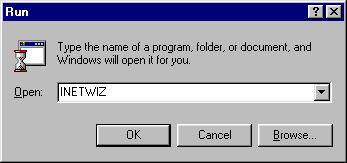
1. Click the Start
button on the windows task bar, go up to Run and type in the program name "INETWIZ".
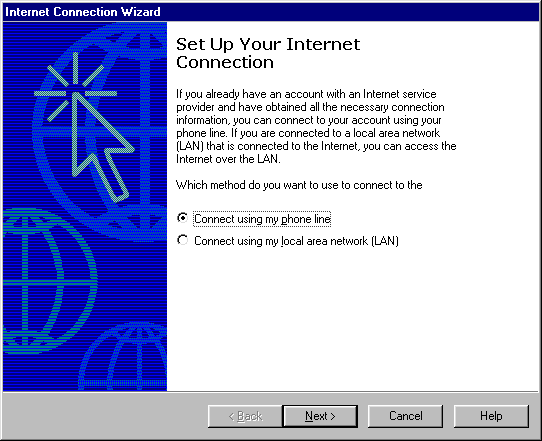
2. After the wizard
starts it asks how you connect. Select Connect using
my phone line and click Next.
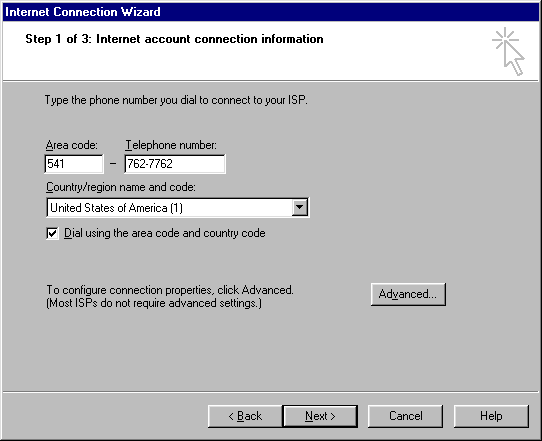
3. On the next screen
enter the phone number 541-762-7762 and click Next.
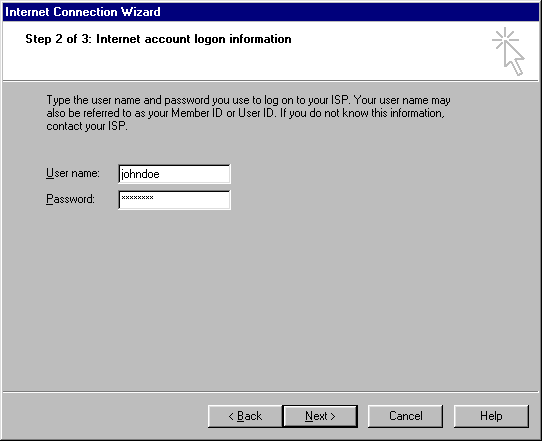
4. Enter your username
and password. The username is all lowercase and
the password needs to be the correct case since
it is case sensitive.
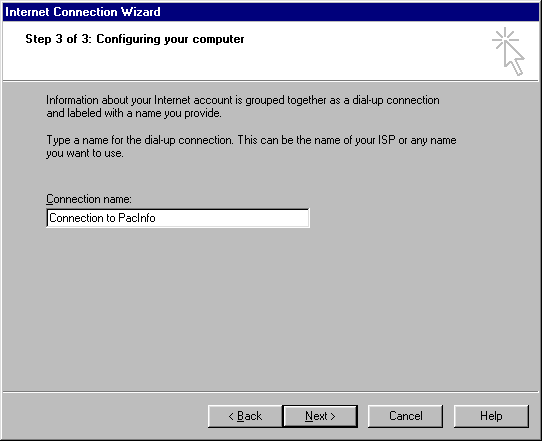
5. The next window
will show the connection name and allow you to change
it. Edit the name so it says something like Connection
to PacInfo so you can identify what it is when you
are looking at the dial-up networking connections.
Click Next.
6. The next screen
asks if you want to set up an e-mail account now.
Say No if you just wanted to change your dialup.
Click here for instructions on setting up your mail
account.










 Faq
Faq